Restyle video in your browser: upload a clip, pick a look or add a style image, and get the same motion back in oil paint, paper collage, clay or anime. Wan 2.7 Video Edit keeps your original audio; longer clips switch to Kling O3 or Seedance automatically.
Looks
Wan 2.7 Video Edit by default: 2–10 s clips, optional style image
Longer clips (up to 30 s) move to Kling O3 or Seedance, with the reason shown
Keep the original audio and voice on Wan 2.7
See the price before you render; failed restyles are refunded
Look 01 / 05
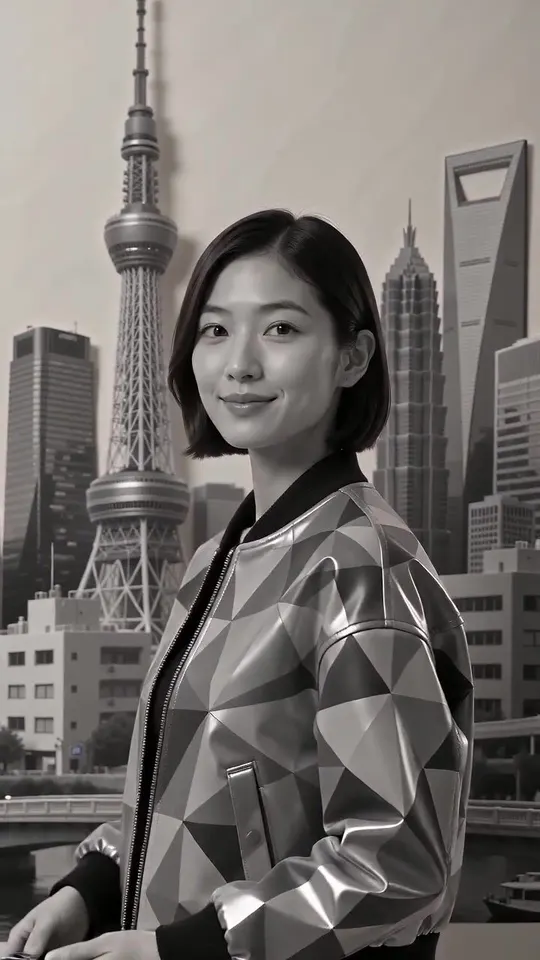
Paper collage
Look example made with Seedance 2.0 (text to video). by Dimona Patrick
Start from a tested preset prompt, or show the model exactly what you want with one reference image. Every preset opens the studio with the prompt filled in.
Oil painting
Thick impasto strokes and painterly light. Works best on slow, well-lit shots where brush texture has room to show.
Watercolor anime
Soft washes, pastel palette and fine pencil lines. Good for travel, nature and calm portraits.
Pencil sketch
Graphite lines on paper with a little line boil. A strong pick for explainers and storyboards.
Claymation
Plasticine characters with fingerprints and stop-motion charm. Simple backgrounds give the cleanest result.
Anime
Cel-shaded line art and flat anime colour. For more anime-only looks, see our anime guides.
3D cartoon
Rounded 3D feature-film characters and warm studio light. Great for kids' content and brand mascots.
Cyberpunk
Neon night, wet reflections and holographic signs. Night street footage takes it best.
90s anime
Hand-painted cels, film grain and a muted 1990s TV palette for a retro feel.
Look gallery
Restyle video examples: looks you can recreate
Example clips and stills from the community, each with its prompt. Use one as a target look for your restyle, or recreate it from text.
Seedance 2.0
Base Scene & Art Style: Mixed-media paper collage travel poster of the Japanese woman and Tokyo landmarks comes to life as an animated editorial spread. The stop-motion aesthetic, layer depth, and raw textures are…
Photorealistic cinematic photo, 3:4 vertical frame, shooting from a very low point of grass/flowers (worm's-eye view) on a wide-angle lens-24-28mm. In the center of the frame, chest-deep, is a 25-year-old young woman…
Style & Environment: 3D animated surreal dreamscape with pastel aesthetics, soft cinematic lighting, and a whimsical, playful tone.Scene 1 (Desert & Floating Bubbles): A vast, serene desert landscape made of smooth…
{ "scene": "An intimate indoor portrait taken in a personal bedroom or studio space, walls covered with taped photos, sketches, and ticket stubs", "subject": { "gender": "male", "age": "early 20s", "expression": "calm…
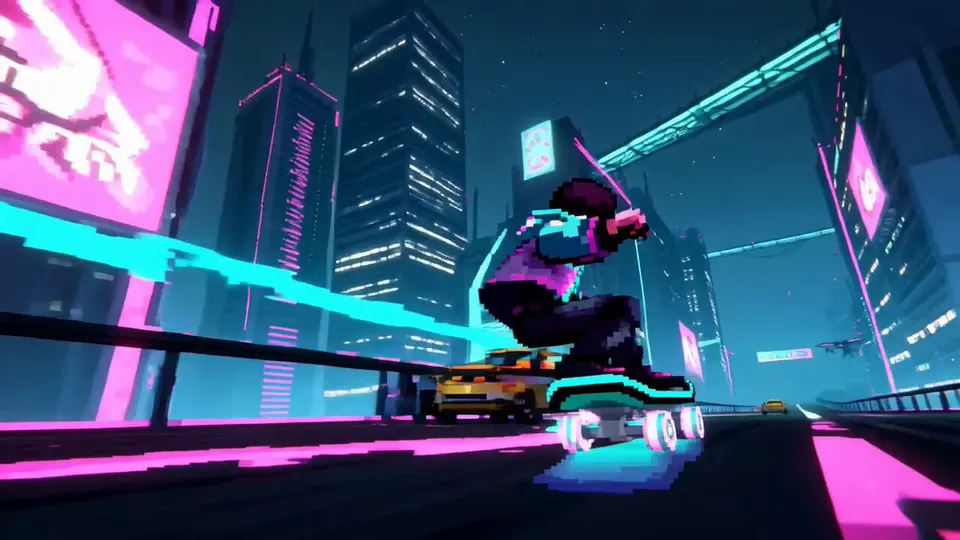
A pixel-art skateboarder races down the side of a futuristic megacity on a magnetic board while traffic drones, neon billboards and collapsing skybridges fill the path, he grinds along a suspended rail, jumps through a…
Ultra-realistic cozy Japanese-Korean café photography featuring a cute young [Japanese/Korean] couple sitting together naturally in a trendy aesthetic café. The young couple should look stylish and youthful, wearing…
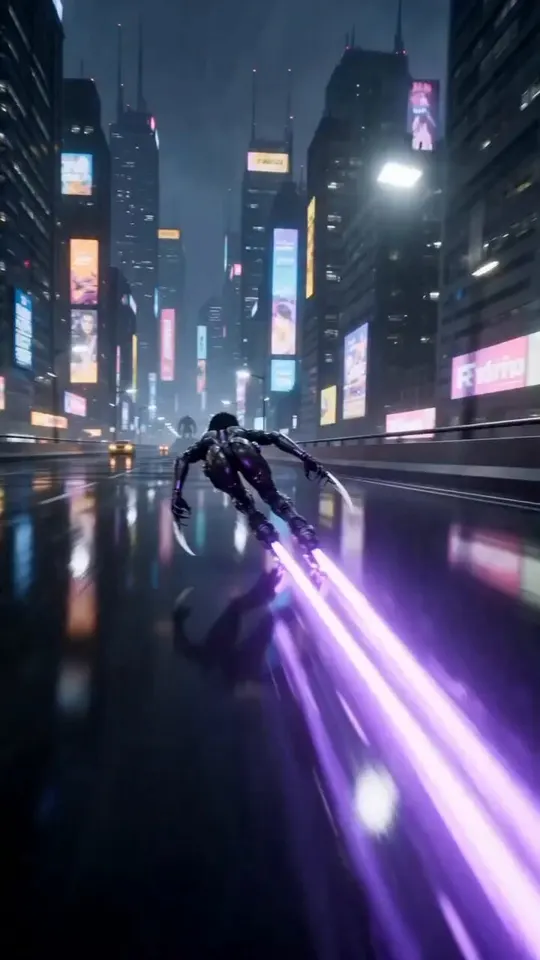
Cinematic 3D animation, futuristic cyberpunk city at night with neon billboards reflecting on wet asphalt. A sleek, agile female cyborg character wearing a black high-tech bodysuit and glowing purple rollerblades skates…
Photorealistic vertical collage poster featuring multiple portraits of a thoughtful bearded man with wavy dark hair and round glasses wearing a black knit sweater: a large cinematic close-up gazing upward, a mid-shot…
[Core Concept] “A real person naturally existing inside a pixel RPG game world” 👉 Background = Pixel art 👉 Character = Photorealistic (identical to the real person) 👉 Key = No sense of mismatch --- [🚨 Absolute Rules…
Ultra-realistic cinematic black-and-white editorial portrait, young man with thick wavy textured hair, wearing a slightly unbuttoned black dress shirt, seated in a relaxed pose, head tilted downward while looking past…
A hyper-realistic editorial street photograph of a beautiful adult woman standing confidently at a busy urban intersection in a creative nightlife neighborhood. She has long, naturally textured dark brown hair worn…
A young East Asian woman in an elegant black gothic coquette dress with layered black tulle skirt and sheer polka-dot opera gloves stands against a blue and lavender gradient studio background, soft neon blue and purple…
Cinematic nighttime portrait of a stylish young Asian woman standing on an escalator inside a modern Japanese-themed entertainment complex. She glances back over her shoulder toward the camera with a soft, confident…
Young woman, Long loose curly hair , wearing casual clothes, sitting alone in a dark room at night, using her phone, cinematic lighting, soft blue tones, suddenly phone notification appears showing "Video from: Me", she…
Create a 15-second vertical 9:16 cinematic motivational short film with an emotional, soothing, realistic atmosphere. The story should visually represent loneliness, struggle, hope, and the simple message: “KEEP GOING.”…
Fashion blueprint sheet of an elegant young woman posing beside a vintage bicycle, full-body low-angle view with detailed outfit annotations and fashion callout labels. Hair styled in a soft braided bun, geometric white…
Showcase pieces are curated from meigen.ai and credited to their original creators.
Know the difference
Restyle vs filter vs video to video
All three change how footage looks, but they work at different depths. Here is how to tell which one you need.
Restyle vs filter vs video to video
Restyle (style transfer)
Filter or LUT
Full video to video
What changes
The rendering of every frame: line, texture, material and palette become the new style.
Colour and contrast on top of the same pixels. A filter never redraws anything.
Anything the prompt asks: new subjects, new places, new props, even a new story.
Motion & faces
Kept. Timing, camera moves and expressions follow the source clip.
Kept exactly, because nothing is redrawn.
Loosely kept; the more you change, the more the model reinterprets.
How you steer it
A preset, a short style prompt or one style image.
Sliders and presets in an editing app.
Detailed prompts, sometimes reference images.
Typical length
2–30 s per clip on Restyle Video, depending on the model.
Any length, applied in real time.
Usually short clips, like restyling.
Best for
Music videos, shorts, ads and any clip that needs a new art style without a reshoot.
Quick colour grades and consistent brand tones.
Swapping objects or settings, remakes and bigger creative changes.
Restyle Video sits in the first column: a style transfer that redraws the clip but respects its motion. When you need a bigger change, the same studio also runs text to video and image to video.
What stays the same
How video restyle AI keeps motion, faces and sound
A restyle should look new but move like the original. These are the parts you can count on, and the prompt wording that helps.
Motion and timing
The edit models read the movement of your clip frame by frame, so a dance, a jump cut or a camera pan lands on the same beat. Fast whip pans can smear; a slower cut restyles more cleanly.
“…keep the original motion, framing and timing.”
Faces and identity
Ask for recognisable faces and the models keep proportions, expressions and hairstyles while changing the medium. Very small faces in wide shots are harder; frame people closer when identity matters.
“…keep her face, expression and hairstyle recognisable.”
Original audio and voice
Wan 2.7 Video Edit has a “keep original audio” switch, so dialogue, singing and music stay exactly as recorded. Seedance edits can generate new audio instead, and Kling O3 returns a silent clip you can re-score.
Studio → Wan 2.7 → Keep original audio: on
Partial restyle, by prompt
There is no mask to paint: say what changes and what stays. “Restyle only the background as a watercolor city, keep the person photoreal” works on most clips; results are best when subject and background are clearly separated.
“Restyle only the background as a watercolor city; keep the person photoreal.”
How it works
Restyle a video in 3 steps
1
Upload your clip
Drop an MP4 or MOV. The studio reads its length and size and picks a model that fits: Wan 2.7 for 2–10 s, Kling O3 or Seedance for longer clips.
2
Choose the new look
Tap a preset, write a short style prompt, or add one style image. Say what should stay the same: faces, motion, the background.
3
Render and compare
See the price, start the restyle, then wipe between before and after in the result viewer. Download the MP4; a failed render costs nothing.
Restyle models
Which restyle video model fits your clip?
Limits and prices come straight from the studio. You pay per second of your clip at the resolution you choose.
Which restyle video model fits your clip?
Model
Clip length
Output
Style image
Audio
Price
Kling 3.0 Omni TransformStrong full-frame restyles of 10–15 s clips
3–15.5 s
720P · 1080P · 4K
Silent output
from 31 cr/s
Wan 2.7 Video EditDefaultStyle images and keeping the original sound
2–10 s
720P · 1080P
Keeps original audio
from 22 cr/s
Seedance 2.5 Flash EditLong clips up to 30 s at a low rate
4–30 s
480P · 720P
Can generate audio
from 31 cr/s
Seedance 2.5 EditLong clips with the most detail
4–30 s
480P · 720P · 1080P · 4K
Can generate audio
from 46 cr/s
Gemini Omni Flash 1.2Quick, cheap tests of a look
2–15 s
720P · 1080P · 4K
Model decides
from 13 cr/s
Seedance 2.0 EditCharacter-heavy edits up to 1080p
2–15 s
480P · 720P · 1080P
Can generate audio
from 31 cr/s
Seedance 2.0 Fast EditFaster Seedance 2.0 edits
2–15 s
480P · 720P
Can generate audio
from 19 cr/s
Seedance 2.0 Mini EditThe cheapest Seedance edit
2–15 s
480P · 720P
Can generate audio
from 7 cr/s
Wan 2.7 is the default. If your clip is longer than 10 seconds, or its size or frame rate doesn't fit a model, the studio switches to the first model that can take it, such as Kling O3, listed as Kling 3.0 Omni (up to 15 s) or Seedance 2.5 Flash (up to 30 s), and tells you why.
Use cases
Video restyle AI for music videos, shorts and ads
The clips below are look examples from our gallery, made with Seedance 2.0. Restyle your own footage toward the same feel.
Music videos
Restyle a performance take into a painted or animated world and keep the vocal track untouched with Wan 2.7's original-audio switch.
Shorts and Reels
Vertical 9:16 clips restyle at their native shape. Post the original and the restyle side by side for an easy before/after hook.
Ads and product spots
Test one shoot in several art directions — collage, clay, 3D — before you commit budget to a campaign look.
Film tests and trailers
Try a graded film stock, a 16mm texture or an animated version of a scene without a VFX pass.
Creator content
Turn talking-head or vlog footage into a recurring visual signature your audience recognises.
Education and explainers
Restyle screen recordings or demos as sketches or pixel art to make lessons easier to follow.
Get cleaner results
Quality tips for restyling video
Most bad restyles come from the source clip, not the model. Six habits that help.
01
Start from a steady, well-lit clip
Noise and motion blur turn into smudges after a restyle. Good light and a steady camera give the model clean edges to redraw.
02
Trim to the moment
Restyles are billed per second. Cut to the 4–10 seconds that matter and you pay less and stay on Wan 2.7 with its style image and audio options.
03
Name the look, then the keepers
One sentence for the style (medium, palette, line) and one for what must not change (faces, motion, text on screen).
04
Use a style image for exact palettes
Words like “warm” mean different things to each model. A reference image pins down colours and texture in one step.
05
Expect fast motion to soften
Whip pans, confetti and water spray are hard for every model. Slow the shot down or pick a looser style like watercolor.
06
Test at 720p, finish at 1080p
Find the look at the lower rate, then re-run the winner at 1080p. The studio keeps your prompt and model between runs.
Beyond restyle · video
Seedance 2.0 on Restyle Video: make the look from scratch
No footage yet? ByteDance's Seedance 2.0 generates stylised clips from text: pastel 3D, pixel art, paper collage. Every look example on this page was made with it, and you can recreate any of them in the same studio.
Best for stylised text-to-video and character scenes
Output: 480p · 720p · 1080p · 4K
Clips of 4–15s
From 104 credits per video
Beyond restyle · style images
Nano Banana Pro: photoreal style images for your restyle
Google's Nano Banana Pro makes photoreal stills with careful light. Generate a frame in the look you want, then use it as the style image for a Wan 2.7 restyle.
Best for photoreal style frames and portraits
Output: 1K · 2K · 4K
Up to 8 reference images for edits
From 25 credits per image
Beyond restyle · style images
GPT Image 2: illustrated style frames and posters
OpenAI's GPT Image 2 follows long instructions about medium and texture — risograph, folk art, scrapbook — which makes it a quick way to design a style image before you restyle a clip.
Best for illustrated looks, posters and layouts
Output: 1K · 2K · 4K
Up to 8 reference images for edits
From 9 credits per image
Toolkit
The Restyle Video toolkit
Everything around the restyle: models, inputs, audio and pricing in one studio.
Eight restyle models
Wan 2.7, Kling O3, Seedance 2.5 and 2.0 edits and Gemini Omni, with limits checked before you upload.
Text to video too
No footage? Generate a stylised clip from a prompt with Veo 3.1, Seedance or Kling 4.
Style image reference
Add one image and Wan 2.7 borrows its palette, texture and line work.
Frames to video
Restyle a single frame in the image studio, then animate it with first-and-last-frame video.
Keep the original audio
Wan 2.7 keeps your soundtrack and voice; Seedance can generate new audio when you want it.
720p to 4K restyles
Test cheaply at 720p, then render the final cut at 1080p, or 4K on the models that support it.
Your clip's shape
9:16, 16:9 or square: restyles keep the aspect ratio of the clip you upload.
Priced per second
The studio shows the cost of your exact clip before you start. Failed restyles are refunded automatically.
Commercial use
Credit packs and Pro plans include a commercial license and private mode for client work.
Generation models
Beyond restyle: text and image to video on Restyle Video
When there is no clip to restyle, these models make one. Prices are in credits; video is billed per second (Veo per clip), images per image.
To restyle a video is to redraw every frame in a new art style — oil paint, anime, clay, pixel art — while the motion, framing and timing of the original clip stay the same. Restyle Video is an independent studio that runs these edit models for you; it is not affiliated with the model makers.
Is restyling different from a filter?
Yes. A filter or LUT shifts colours on the same pixels. A restyle redraws the image, so lines, textures and materials change too. That is why a restyle can turn a street into a watercolor painting and a filter cannot.
Can I restyle a video for free?
New accounts get free credits to try the studio, enough for a first image but not a full restyle. Restyles are paid per second of your clip; the studio shows the exact price before you start, and failed renders are refunded.
Can I use my own image as the style?
Yes. Wan 2.7 Video Edit, the default model, takes one optional style image. Upload a painting, a still or a character design and describe what to keep from your clip.
Will the original audio and voice stay?
With Wan 2.7, yes: turn on “keep original audio” and the soundtrack comes back untouched. Seedance edits can generate new audio instead, and Kling O3 returns a silent clip.
Can I restyle only part of the frame?
Yes, by prompt. Write what changes and what stays, for example “restyle only the background as a watercolor city, keep the person photoreal”. There is no mask tool, so it works best when the subject is clearly separated from the background.
How long can the video be?
Wan 2.7 takes 2–10 seconds. Longer clips switch to Kling O3 (up to 15 seconds) or Seedance 2.5 (up to 30 seconds), and the studio tells you why it switched. Uploads can be up to 95 MB, MP4 or MOV.
Does it handle fast motion and cuts?
Cuts are fine: each shot keeps its own timing. Very fast motion such as whip pans, spray or confetti can soften or smear in any model, so slower shots and looser styles like watercolor give cleaner results.
Can I turn my video into anime style?
Yes. Use the Anime, Watercolor anime or 90s anime preset, or describe the exact anime look you want. Kling O3 gives the strongest full-frame anime conversion on clips up to 15 seconds.
Can I use restyled videos commercially?
Yes with any credit pack and with Pro and higher plans, under our Terms of Service, as long as you own the rights to the footage you upload. Free and Starter credits are for personal use.
Guides from the Restyle Video blog
Step-by-step tutorials, prompt formulas and model comparisons to get better results from every render.